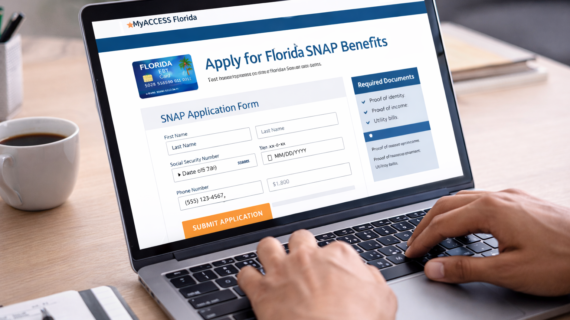
If you need help paying for groceries, applying for SNAP benefits in Florida can provide essential support—but how do you apply online?
The good news is that Florida allows you to apply for SNAP (food stamps) online through a simple process. In this guide, we’ll walk you through exactly how to apply step by step, what documents you need, and how to avoid delays.
Quick Answer: How to Apply for SNAP in Florida Online
To apply for SNAP benefits in Florida online, you need to:
- Create an account on the MyACCESS system
- Complete the online application form
- Submit required documents
- Attend an interview (if required)
- Wait for approval
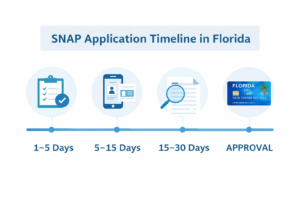
Most applications are processed within 7 to 30 days.
Step 1: Go to the Florida SNAP Application Website
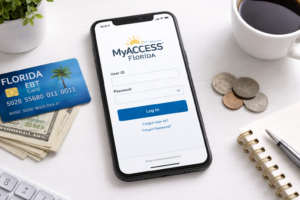
Visit the official Florida benefits portal and create an account.
This is where you will submit your SNAP application and manage your case.
Step 2: Create a MyACCESS Account
You’ll need to register with your:
- Email address
- Personal information
- Secure password
Make sure your information is accurate to avoid delays.
Step 3: Complete the Online Application
The application will ask for details about:
- Household members
- Income and employment
- Housing expenses
- Assets and resources
Take your time and answer all questions honestly.
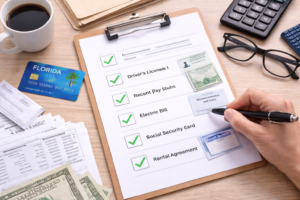
Step 4: Upload Required Documents
You may need to submit documents such as:
- Proof of identity
- Pay stubs or income verification
- Utility bills or rent statements
Uploading documents quickly can speed up approval.
Step 5: Complete the SNAP Interview
Some applicants are required to complete a phone interview.
This is used to verify your information and confirm eligibility.
Step 6: Wait for Approval
After submitting your application, processing times are typically:
- Up to 30 days for standard applications
- As fast as 7 days for emergency cases
You will be notified once a decision is made.
How to Check Your SNAP Application Status
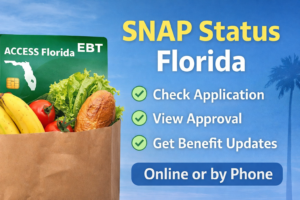
You can track your application anytime online.
Check Florida SNAP application status online
What Happens After You’re Approved?
If approved:
- You will receive an EBT card
- Your benefits will be loaded monthly
- You can use SNAP to buy eligible food items
To understand how much you may receive, see:
Average food stamp amount in Florida monthly
Common Mistakes to Avoid
- Submitting incomplete information
- Not uploading documents
- Missing your interview
- Providing incorrect income details
Avoiding these mistakes can help speed up your approval.
Tips for Faster Approval
- Apply with complete information
- Upload documents immediately
- Respond quickly to requests
- Keep your contact details updated
Who Can Apply for SNAP?
You may qualify if you meet income and eligibility requirements.
Learn more here:
Who qualifies for SNAP in Florida
FAQ: Applying for SNAP in Florida
Can I apply for SNAP online in Florida?
Yes, Florida allows online applications through the MyACCESS system.
How long does SNAP approval take?
Most applications are processed within 7 to 30 days.
Do I need an interview?
Some applicants are required to complete a phone interview.
What documents are required?
Common documents include ID, proof of income, and housing expenses.
Can I check my application status online?
Yes, you can track your status through the online portal.
Final Thoughts
Applying for SNAP in Florida online is a straightforward process if you follow each step carefully.
By submitting complete information and responding quickly, you can avoid delays and get approved faster.
If you’re eligible, SNAP can provide valuable support to help cover your grocery costs each month.