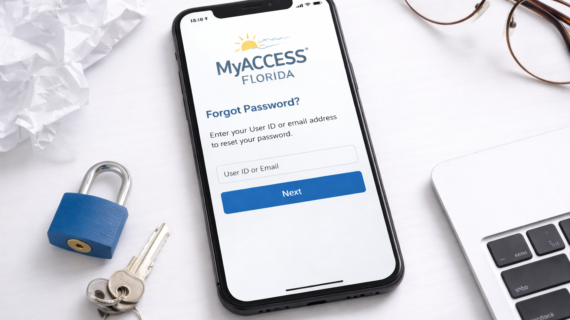
If you can’t log in to your MyACCESS Florida account, the most common solution is to reset your password.
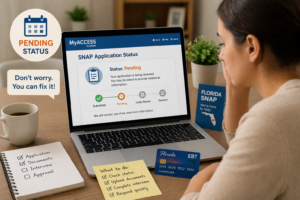
For SNAP users in Florida, your MyACCESS account is essential for checking status, uploading documents, and managing benefits.
In this guide, we’ll walk you through how to reset your MyACCESS Florida password step by step, plus how to fix common issues.
Quick Answer: Reset MyACCESS Florida Password
To reset your MyACCESS Florida password:
- Go to the MyACCESS login page
- Click “Forgot Password”
- Enter your User ID or email
- Verify your identity
- Create a new password
You can reset your password in just a few minutes.
Step-by-Step: How to Reset Password
Step 1: Go to the Login Page
Visit the MyACCESS Florida login page.
Need login help?
Step 2: Click “Forgot Password”
Find and click the password reset option.
Step 3: Enter Your Information
Provide your User ID or registered email.
Step 4: Verify Your Identity
You may need to answer security questions or receive a code.
Step 5: Create a New Password
Choose a strong and secure password.
Password Requirements (Important)
Your new password should:
- Be at least 8 characters long
- Include letters and numbers
- Use a mix of upper and lowercase
This helps keep your account secure.
Forgot Your User ID?
If you don’t remember your User ID:
- Click “Forgot User ID”
- Verify your identity
You’ll be able to recover your login details.
Common Reset Password Problems
- Email not received
- Incorrect User ID
- Expired reset link
- Account locked
How to Fix Reset Issues
- Check your spam or junk folder
- Make sure your email is correct
- Request a new reset link
- Wait if your account is temporarily locked
Why Resetting Your Password Is Important
Your MyACCESS account is used to:
- Check SNAP status
- Upload documents
- Renew benefits
- Track payments
Check your status here:
Tips to Keep Your Account Secure
- Use a strong password
- Do not share your login details
- Update your password regularly
- Log out after using public devices
FAQ: MyACCESS Florida Password Reset
How do I reset my MyACCESS Florida password?
Click “Forgot Password” on the login page and follow the steps.
How long does password reset take?
Usually just a few minutes.
What if I don’t receive the reset email?
Check your spam folder or request a new link.
Can I reset password on my phone?
Yes, the MyACCESS system works on mobile devices.
What if my account is locked?
Wait and try again or reset your password after some time.
Final Thoughts
Resetting your MyACCESS Florida password is quick and easy if you follow the correct steps.
By keeping your account secure and accessible, you can manage your SNAP benefits without interruptions.
If you’re having trouble logging in, resetting your password is usually the fastest solution.