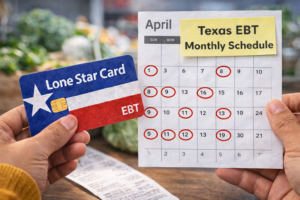
Many households across Texas rely on SNAP benefits to help pay for groceries each month. One of the most common questions recipients ask is: when do SNAP benefits reload Texas?
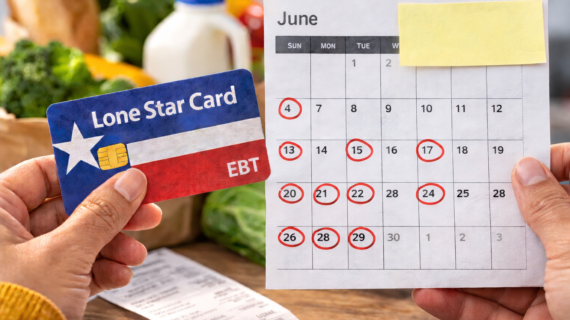
The Supplemental Nutrition Assistance Program (SNAP) provides monthly food assistance to eligible individuals and families. In Texas, these benefits are delivered electronically through the Lone Star Card using the Electronic Benefits Transfer (EBT) system.
Understanding when your SNAP benefits reload helps you plan grocery shopping, track your food budget, and avoid unexpected payment delays.
This guide explains how the Texas SNAP reload schedule works, when benefits are deposited, and how to check your Lone Star Card balance.
According to Texas Health and Human Services, SNAP benefits are automatically deposited into eligible recipients’ EBT accounts each month.
What Does “SNAP Benefits Reload” Mean?
When SNAP benefits reload, it means your monthly benefits have been deposited into your Lone Star Card account.
Once the benefits reload, you can immediately use your card to purchase eligible food items at authorized retailers.
The reload process happens automatically every month according to a schedule set by Texas Health and Human Services.
When Do SNAP Benefits Reload in Texas?
In Texas, SNAP benefits usually reload between the 1st and the 28th of each month. The exact date depends on your Eligibility Determination Group (EDG) number.
This number determines your position in the SNAP payment schedule.
The purpose of spreading payments throughout the month is to reduce congestion in grocery stores and prevent technical overload in the EBT system.
Texas SNAP Reload Schedule
The following table shows how SNAP benefits are typically reloaded based on the last digits of your EDG number.
| EDG Number Ending | SNAP Reload Date |
|---|---|
| 0 | 1st of the month |
| 1 | 3rd of the month |
| 2 | 5th of the month |
| 3 | 6th of the month |
| 4 | 7th of the month |
| 5 | 9th of the month |
| 6 | 11th of the month |
| 7 | 12th of the month |
| 8 | 13th of the month |
| 9 | 15th of the month |
These dates are approximate and may vary depending on your household’s eligibility group.
Why SNAP Benefits Reload on Different Days
Texas distributes SNAP benefits across multiple dates for several reasons.
- Reduce grocery store overcrowding
- Prevent overload in the EBT payment system
- Ensure smoother distribution of benefits
This staggered payment schedule helps ensure that millions of SNAP recipients can access their benefits without technical issues.
How the Lone Star Card Works
The Lone Star Card is the EBT card issued to SNAP recipients in Texas.
Once benefits reload, they are stored in your EBT account and can be accessed using this card.
The Lone Star Card works similarly to a debit card.
When you purchase groceries, the cost is deducted from your SNAP balance.
Each transaction requires entering your Personal Identification Number (PIN).
How to Check If Your SNAP Benefits Reloaded
There are several ways to confirm whether your benefits have reloaded.
1. Check Online
You can log into your YourTexasBenefits account to check your SNAP balance and recent deposits.
2. Call the EBT Customer Service Number
The automated phone system can provide your current balance and recent activity.
3. Check Your Store Receipt
After making a purchase, many grocery stores print your remaining SNAP balance on the receipt.
Learn more here:
Where You Can Use SNAP Benefits
Once your benefits reload, you can use your Lone Star Card at many authorized retailers.
- Supermarkets
- Grocery stores
- Farmers markets
- Convenience stores that accept SNAP
Most participating stores display signs indicating they accept EBT payments.
What You Can Buy With SNAP Benefits
SNAP benefits are intended to help households purchase food.
- Fresh fruits and vegetables
- Meat and poultry
- Dairy products
- Bread and cereals
- Snack foods
These items help support healthy diets and food security.
Items You Cannot Buy With SNAP
Some purchases are restricted under SNAP regulations.
- Alcohol
- Tobacco products
- Hot prepared foods
- Cleaning supplies
These rules are established by federal SNAP guidelines.
What to Do If Your SNAP Benefits Did Not Reload
If your SNAP benefits have not reloaded on the expected date, consider the following steps.
- Verify your SNAP payment schedule
- Check your EBT balance
- Confirm your case information
If the issue continues, contact Texas Health and Human Services for assistance.
Tips for Managing SNAP Benefits
Managing your benefits carefully can help them last throughout the month.
- Create weekly grocery budgets
- Plan meals in advance
- Buy store-brand products
- Shop during sales
These strategies help maximize the value of your SNAP benefits.
Understanding SNAP Eligibility
Eligibility for SNAP benefits depends on household income and size.
You can review eligibility details here:
Frequently Asked Questions
What time do SNAP benefits reload in Texas?
SNAP benefits typically reload at midnight on the scheduled deposit date.
Can SNAP benefits reload earlier than expected?
In most cases, benefits follow the scheduled deposit date based on your EDG number.
Do SNAP benefits expire?
SNAP benefits generally remain available for several months, but unused funds may eventually expire.
How can I track my SNAP spending?
You can review your transaction history online or through store receipts.
Conclusion
Knowing when SNAP benefits reload Texas helps recipients plan grocery shopping and manage their food budgets effectively.
By understanding the Texas SNAP reload schedule and monitoring your Lone Star Card balance regularly, you can ensure that your benefits support your household throughout the month.
Staying informed about SNAP payment schedules helps you make the most of your benefits and maintain financial stability.