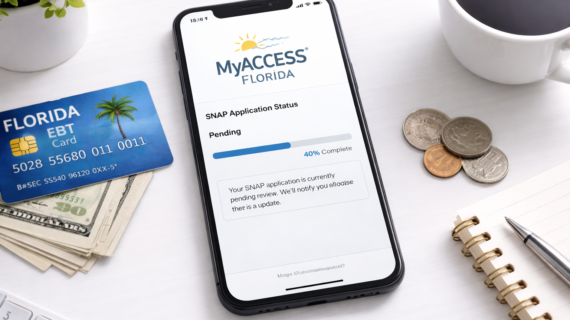
If you’ve applied for SNAP benefits in Florida, the next step is tracking your application. Many applicants ask: how do I check my SNAP status?
The good news is you can check your SNAP application status online anytime using the MyACCESS system.
In this guide, we’ll show you exactly how to check your SNAP status, what each status means, and how to fix issues if your application is delayed.
Quick Answer: Check SNAP Status Florida
To check your SNAP application status in Florida:
- Log in to your MyACCESS account
- Go to your case dashboard
- View your application status
You can check your status anytime online.
Step-by-Step: How to Check SNAP Status Online
Step 1: Log in to Your Account
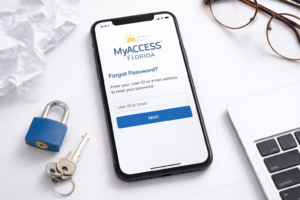
Go to your MyACCESS Florida account and log in using your User ID and password.
Need help logging in?
Step 2: Access Your Case Dashboard
Once logged in, navigate to your account dashboard.
This is where all your benefit information is displayed.
Step 3: View Your Application Status
Your current status will appear on your case overview page.
Common SNAP Application Statuses
Pending
Your application is still under review.
Fix it here:
How to fix pending SNAP application Florida
Approved
Your application has been approved, and benefits will be issued.
Denied
Your application was not approved.
Reasons may include income limits or missing documents.
Active
Your SNAP benefits are currently active and available.
Closed
Your case has been closed due to inactivity or missed renewal.
How Often Should You Check Your SNAP Status?
It’s recommended to check your status:
- After applying
- After submitting documents
- If you haven’t received benefits
What If Your Status Hasn’t Changed?
If your application is still pending:
- Make sure all documents are submitted
- Check for messages or requests
- Complete your interview if required
See timeline:
How long SNAP approval takes in Florida
Can You Check SNAP Status Without Logging In?
In most cases, you must log in to your MyACCESS account to check your status.
This ensures your personal information is secure.
What Happens After Approval?
Once approved:
- You will receive an EBT card
- Benefits will be loaded monthly
- You can start using SNAP immediately
See payment schedule:
Florida SNAP payment schedule monthly
FAQ: Check SNAP Status Florida
How do I check my SNAP status in Florida?
Log in to your MyACCESS account and view your case dashboard.
Why is my SNAP status still pending?
It may be due to missing documents or ongoing verification.
How long does it take for status to update?
Most applications are processed within 7–30 days.
Can I check SNAP status on my phone?
Yes, the MyACCESS system works on mobile devices.
What should I do if my application is denied?
Review the reason and consider reapplying or submitting additional documents.
Final Thoughts
Checking your SNAP application status in Florida is quick and easy through the MyACCESS system.
By monitoring your status regularly, you can respond to issues quickly and avoid delays in receiving benefits.
If you’ve already applied, log in today and check your status to stay on track.